Topics in Integrated Marketing Communications
Managing Content with a Digital Kanban Board
December 5, 2022
3 Minutes
A Kanban board is an agile project management tool that maximizes efficiency and visualizes tasks using cards and columns. Physical Kanban boards are the simplest to use and require only a whiteboard or blackboard and sticky notes. However, digital Kanban boards are often the better choice for social media teams that rely on online communication and constantly adapt their strategies in response to media trends.
I was introduced to the concept of Kanban and the agile work process in my Integrated Marketing Communications class, and I’ve implemented these strategies and tools in my social media marketing internship.
Tools for Digital Kanban
Trello is a fast, simple way to make a digital Kanban board (and my personal favorite). You can use Kanban templates or create a board from scratch, and Trello allows your entire team to access and manage the board.
Asana is another good choice that’s comparable to Trello, while Jira Software is a more powerful tool commonly used by software development teams.
Creating Your Kanban Board
Kanban boards can take many forms, but they always consist of a set of columns containing work item cards that move from left to right as they are completed. At its simplest, a Kanban board has three columns: “Backlog” (To Do), “In Progress” (Doing), and “Done”. For social media content management, however, I recommend using a Kanban board with five columns (or more, if needed).
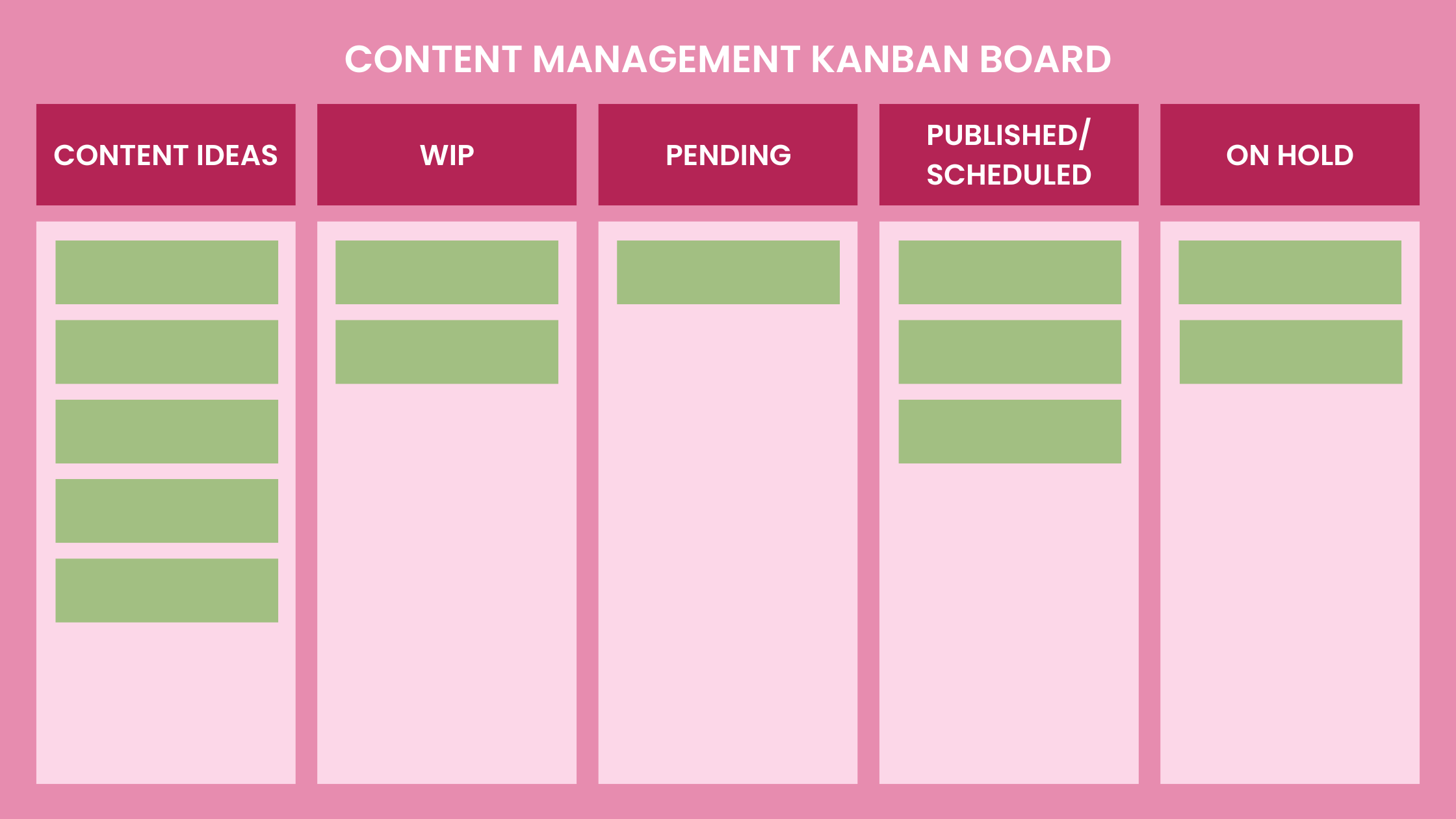
To visualize and clearly define tasks, you should have a “Content Ideas” column with the content that your team wants to create or schedule. Next, there should be a “Work In Progress (WIP)” or “In Production” column with content that is in the process of being created. In accordance with the key principles of Kanban, the WIP column should be limited as much as possible, because this reduces the time it takes a card to travel through the board and limits task switching problems.
The third column is “Ready to Publish” or “Pending. This column contains content that is completed, but still must be scheduled, approved, or reviewed by the team. Fourth is the “Published” or “Scheduled” column, where content that is ‘done’ lives. This content does not require any additional action. Finally, the last column, “On Hold,” is meant for content that has been paused because of roadblocks in the process.
Now you’re ready to start organizing your content creation process with a Kanban board! If you’re interested in discussing content management strategies or my work with content creation and scheduling, feel free to reach out to my email.

Talia Aukema-Gray
Marketing Solutions
I’m a young, hard-working professional who is passionate about brand management, digital marketing, and content management.
I help companies create powerful content and brand strategies by providing content management and creation, brand positioning strategies, and strategic communications.
 Talia Aukema-Gray